How many jobs are sitting in drafting? Which tenders expire this week? What’s outstanding in claims?
Most building businesses can answer these questions. The data is already there, entered by supervisors, estimators and contract administrators as part of their everyday work. The time-consuming part is finding it.
A sales manager runs the same tender search every Monday to see which tenders are about to lapse. A construction manager waits for a weekly report to find out which jobs are falling behind. Individually, these might seem like small inefficiencies, but together they add up to wasted time, delayed decisions and teams working with information that’s already out of date.
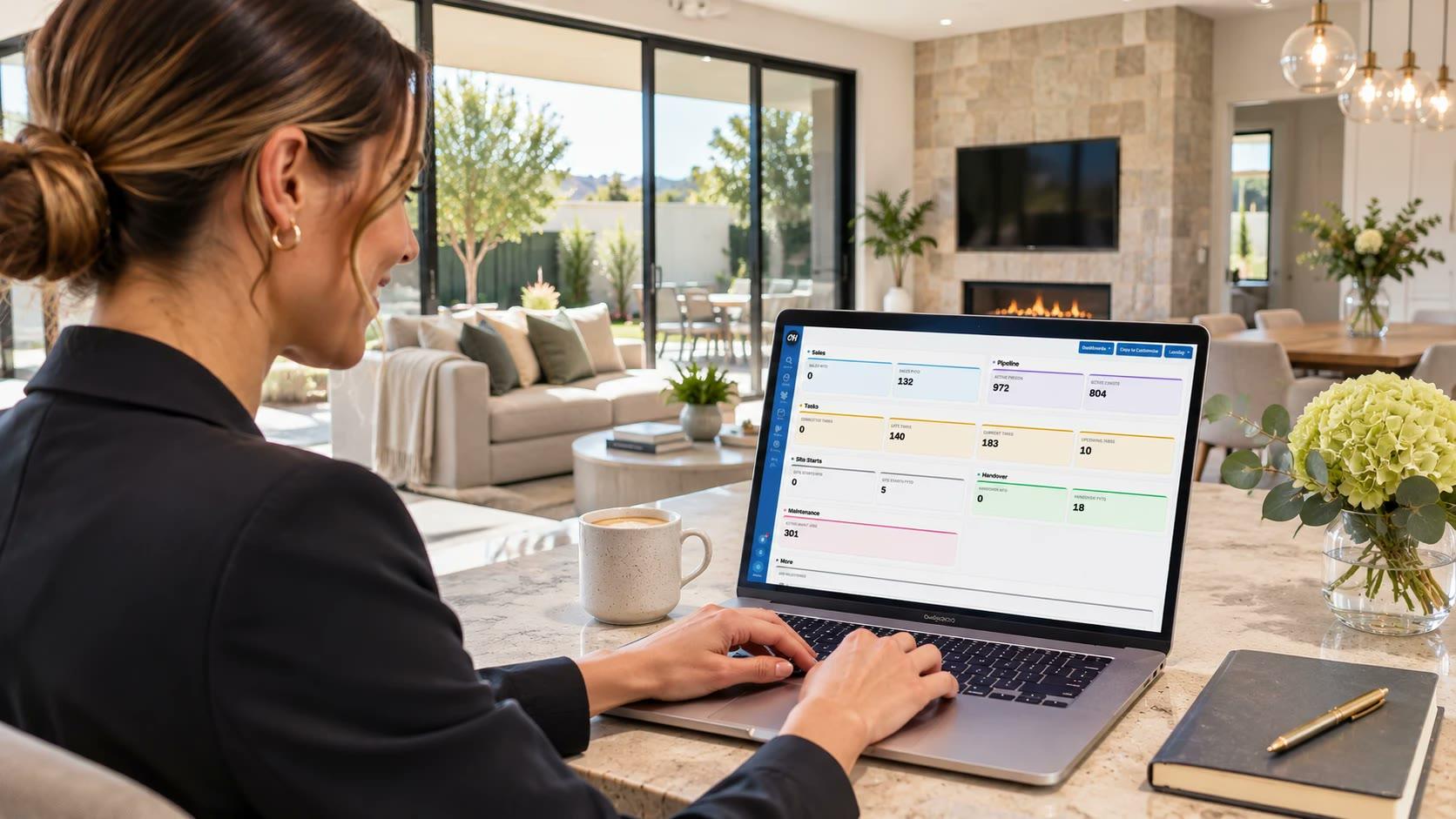
A builder shouldn’t have to chase people, piece together reports or wait for updates to get a clear picture of how their business is performing. Customisable Dashboards in ClickHome close that gap. They bring the numbers you check most often onto one screen, keep them up to date and let you click straight through to the records behind them.
Turn your everyday searches into a live business view
Most ClickHome users already have a handful of searches they rely on. Now, those searches can become dashboard tiles, giving you an at-a-glance view of the information that matters most.
Simply pin a search, give it a name and choose how you want it displayed. There’s no need to run the same search repeatedly just to check the same numbers.
Every tile links directly to its underlying records, so one click takes you from a headline figure to the jobs and metrics behind it. Values reflect the latest available information in ClickHome, with tiles refreshing automatically and the option to refresh manually whenever you need to.
See the numbers your way
Not every metric tells a story in the same way. Some are best displayed as a single figure, while others make more sense as a trend, comparison or visual breakdown.
ClickHome gives you a range of tile formats to choose from, including counters with period comparisons, bar and donut charts, trends, lists, progress against targets and maps.
Choose the format that makes the information easiest to understand and build a dashboard around the way you want to see your business.
Put the right information where the work happens
Dashboards aren’t limited to your home screen. You can also add a strip of tiles above lists such as Tenders, Approvals, Tasks and Claims.
These tiles do more than display information. Click one and the list below automatically filters to show the relevant records. For example, a sales manager can see that 12 tenders are expiring this week and click straight through to those 12 records, without having to build a separate search or filter.
It’s a faster way to move from seeing what needs attention to getting on with it.
A dashboard for every role
Different people need to see different things. A supervisor’s priorities aren’t the same as those of an estimator, contracts administrator or business owner.
Ready-made dashboard templates are available for Supervisors, Estimators, Contracts Administrators, Sales Managers and Owners. Each provides a practical starting point, with the flexibility to customise it around individual needs.
Tiles can be dragged, resized and recoloured, and users can choose which dashboard appears when they log in.
Users operating across multiple parts of the business can switch between the units they have access to, with dashboard tiles automatically updating to show the relevant data.
Built to evolve with your business
Dashboards can represent a significant investment of time in getting the right searches, metrics and information together. That work shouldn’t disappear when someone changes roles or leaves the business. If a dashboard owner moves on, an administrator can transfer ownership to another user, keeping the dashboard and the work behind it within the business.
Less time reporting. More time deciding.
Customisable Dashboards won’t replace the Monday meeting, and they aren’t meant to. They change what the meeting is for.
When everyone can already see where jobs, tenders and claims stand, there’s less time spent chasing updates and compiling reports, and more time discussing priorities, resolving issues and deciding what happens next.
Your data is already in ClickHome. Now you can put it to work.
Ready to build your dashboard your way? Talk to your ClickHome consultant for more information or to arrange a demonstration.