A new home build generates years’ worth of information: plans, contracts, approvals, variations, site issues and maintenance records.
For homeowners, that history is personal. They often remember what was discussed, when decisions were made and how issues were resolved. For the person handling a query today, finding that history can be a different story.
A maintenance team member might take a call about an issue dating back to the original contract signing, with no prior involvement in the project, and years of documents, emails and notes to work through.
The information exists. The challenge is finding it, understanding it and knowing what matters.
Turn years of project history into answers in seconds
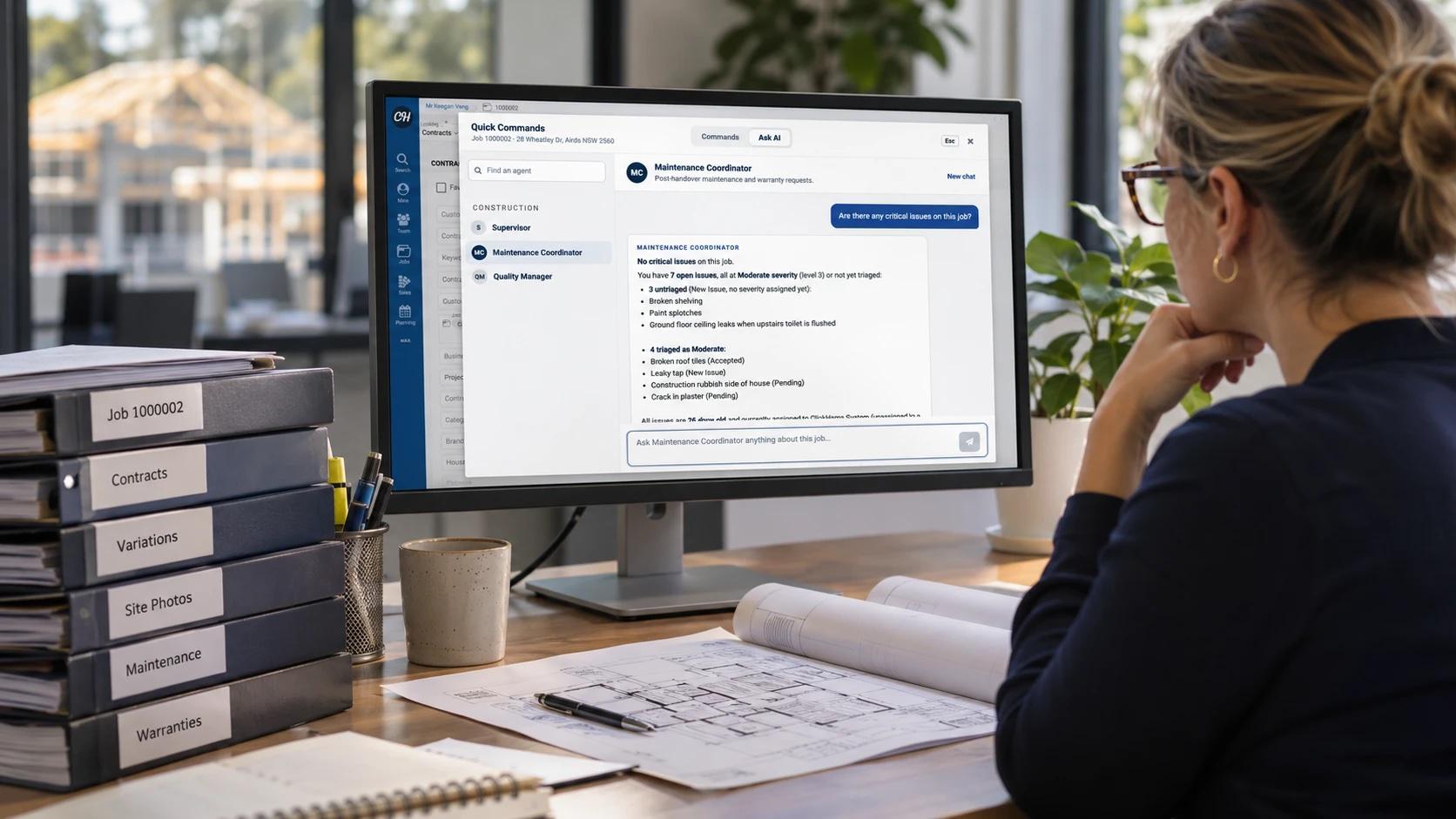
Instead of working through a customer file record by record, the team member can ask Bolt AI – ClickHome’s native AI Assistant – about the issue and let it draw together the relevant history from the job.
What might otherwise require a lengthy search can now take seconds.
The difference isn’t simply speed. It’s also context. Bolt AI can bring together information from across ClickHome to answer questions about a job, an issue or a schedule, while also surfacing tasks and issues that need attention.
For someone stepping into a job or customer relationship they haven’t been involved with from the beginning, that context can make it much easier to understand what has happened and why.
They don’t need to know which records to search or where the relevant information might be. They can start with the question they need answered.
And once they have the context, they can move straight to what needs to happen next. Bolt AI can suggest next steps and, depending on the action, complete the task directly on the user’s behalf.
Different roles. Different questions. Better answers.
The same principle applies across a building business.
A supervisor may need to understand what has happened on a job before heading to site. An office administrator may want to establish the history behind a contract issue. A maintenance team member may need to understand when a defect was first identified, what action was taken and whether it was resolved.
Each role has different questions, but the underlying challenge is the same: there’s a lot of information, and not all of it is immediately accessible to the person who needs it.
Bolt AI can be configured around different roles and responsibilities, so the information and assistance provided is relevant to the work being done.
Whether it’s helping supervisors stay across site activity, giving commercial teams better visibility of job information or helping maintenance teams triage issues, each assistant can be tailored to the needs of the people using it.
Bringing AI into the way teams already work
Bolt AI isn’t confined to one screen or one part of ClickHome. Its capabilities are being brought into the places where teams are already working.
Bolt command panel: your AI command centre
Users can open the Bolt command panel and start a conversation with Bolt AI to find information and get help with their work.
Maintenance: from quick note to action
The Maintenance module includes a dedicated AI panel where users can chat with Bolt AI, capture quick notes, turn those notes into issues and triage a job in one click.
ClickHome27 Field App: AI on site
The Field App brings the assistant straight onto the job site. Users can ask questions, attach photos, return to saved conversations and get step-by-step help with their tasks, schedules and job progress.
AI Connections: connect your preferred AI tools
For businesses that want to work with their own AI platforms, AI connections allows ClickHome data to be connected to Claude or ChatGPT. Administrators control what those tools can access, and access can be revoked at any time.
AI that works within your existing permissions
Putting AI to work doesn’t mean compromising control over your business information.
Bolt AI operates within the permissions already established in ClickHome. It can only access information and perform actions that the individual user is authorised to access or perform.
Administrators control who can use AI and which AI roles are available to them. There’s no separate layer of user permissions to manage, and no need to move your job data into another system to start getting more from it.
More from your data. More time for your team.
Whether it’s answering a question about a legacy maintenance issue, helping a supervisor understand what’s happening on site or turning a quick note into an actionable task, Bolt AI helps teams get more from the information already in ClickHome.
It’s AI that works with your building data, within your existing workflows, to help your people spend less time searching and more time getting things done.
Want to see how Bolt AI can support your team? Talk to your ClickHome consultant or get in touch.